
Protect the Microsoft 365 accounts your money moves through
The most expensive incidents at South African SMEs rarely involve malware. They involve a legitimate Microsoft 365 account being used by the wrong person, often to change the banking details on a genuine invoice. Identity protection watches your accounts around the clock and shuts a compromised one down before it can be used against you.
Security operations powered by 
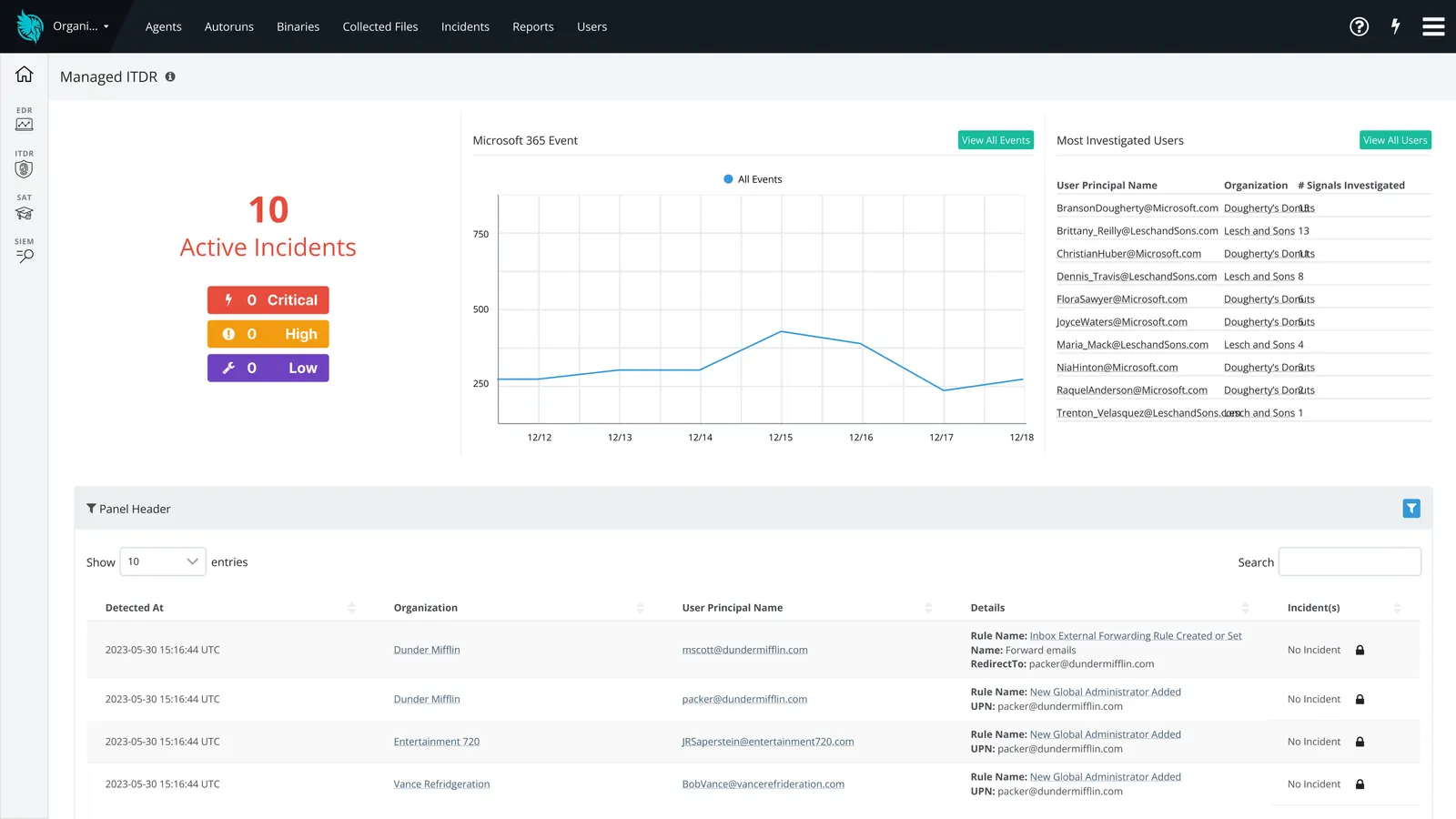
What is watched, and what happens
Sign-ins that do not fit
Logins from locations, networks or devices that make no sense for your staff are investigated rather than logged and forgotten.
Risky mailbox changes
Forwarding and auto-delete rules, delegated access and other mailbox changes that often accompany a takeover are flagged for review.
Unexpected application access
Third-party apps granted access to mail or files without a business reason are surfaced, because consent screens are easy to click through.
Automatic containment
A compromised account has its sessions revoked and is disabled, with you notified immediately, so the window for misuse is minutes rather than weeks.
Plain-language findings
Each case says which account, what was observed, what was done and what you should check (for example recent payment instructions).
Posture management (add-on)
ISPM reports on MFA coverage, admin roles and risky tenant settings so the weaknesses are fixed before they are used. Requires Entra ID P1.
Why finance teams care
- Banking-detail changes: an account under someone else's control is the usual route to a fraudulent change-of-details request that looks completely genuine.
- Your name on the fraud: when a client is defrauded through your mailbox, the reputational and legal exposure is yours even when the money never touched your account.
- POPIA: a mailbox contains personal information. Unauthorised access is a security compromise that may have to be reported under section 22. Knowing when it started and what was accessed is what makes a report defensible.
- Insurance: insurers increasingly expect identity monitoring alongside MFA. See the readiness checklist.
Pair it with training
Identity protection catches misuse; security awareness training reduces how often it has to. The identity bundle covers both for one per-user price, and the complete bundle adds endpoint protection.
Already on Microsoft 365 Business Premium? Entra ID P1 is included, so the ISPM add-on is available to you.
Identity protection pricing
Identity protection (ITDR for Microsoft 365)
fromDetects and responds to mailbox and account takeover.
Get startedISPM add-on (identity posture)
Requires Microsoft Entra ID P1.
Get startedIdentity bundle (ITDR + SAT)
Includes Identity protection, Security awareness training.
Get startedComplete bundle (EDR + ITDR + SAT)
Includes Managed EDR, Identity protection, Security awareness training.
Get startedBilled monthly on the number of devices and users actually protected at month end. No fixed term; cancel with one month's notice. Minimum 5 endpoints per client. Prices reviewed 2026-10-05.
Questions we get asked
We already have MFA. Is this still needed?
MFA is essential and it is the first thing we check. It is not a guarantee on its own, which is why identity protection watches what an account does after sign-in and responds when the behaviour does not fit your business.
What does ISPM add?
Identity Security Posture Management looks at how your Microsoft 365 tenant is configured: accounts without MFA, risky legacy settings, over-privileged admins, unused accounts. It needs Microsoft Entra ID P1 licensing in your tenant, which is why it is an add-on.
Does it read our email?
No. The service works from Microsoft 365 sign-in and audit signals: who logged in from where, which mailbox settings changed, which applications were granted access. Message content is not collected.
How fast is the response?
When an account is judged compromised, sessions are revoked and the account is disabled so it cannot be misused further, then you and we are notified. Reinstating the user takes minutes once the password is reset.
Who is this for?
Any business running Microsoft 365, and especially anyone who sends or approves invoices: finance teams, practice managers, directors with signing authority. The identity bundle adds staff training because the two problems are linked.
Protect your Microsoft 365 accounts
Enter how many Microsoft 365 users you have and see an estimate. Once you accept the quote, connecting your tenant takes a few minutes with a global admin present, and monitoring starts straight away.
Security operations powered by 